
Fund Structures
Before diving into the particularities of the ingest process for static data, it's necessary to understand how Dataglide stores data in the database.
When storing a new Share Class, what happens is, in fact, the creation of a structure in the database. This structure consists of three levels: Fund, SubFund and ShareClass, as illustrated in the below diagram:
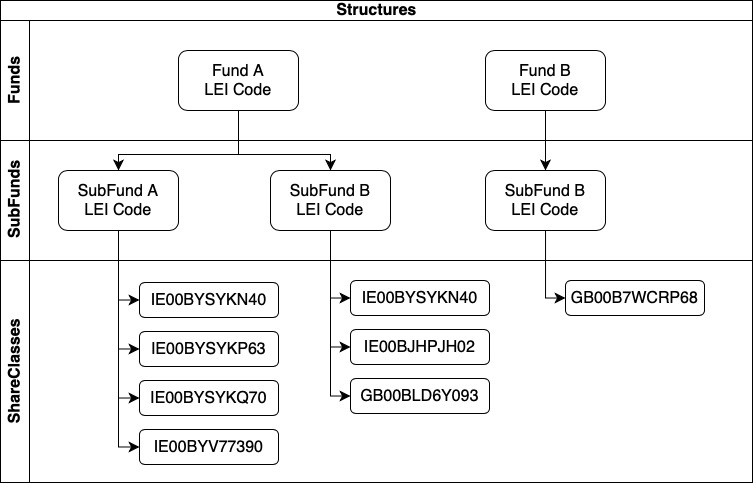
Taking this into consideration, whenever a new static file is imported, the system will read all the records and define is the ISIN inside it already exists in the system or not. The output of this analysis will trigger two different actions:
- Share Class Creation
- Static Data Update
Share Class Creation
If an ISIN from the file doesn't exist in the database, the system will try to create it using the mandatory information needed:
- ISIN Code
- Fund Name
- Subfund Name
- Share Class Name
- Currency of the Share Class
If any of the aforementioned fields are missing in the file, an error message will be raised saying that mandatory information is missing and will not create the share class
With all the mandatory fields populated, the system will evaluate if the ISIN belongs to an existing structure or if a new one should be created and afterwards proceed with the creation and ingest of the static data at the respective level. Share Class information will be stored in the Share Class level and so on for SubFund and Fund.
Static Data Update
For the ISINs that already exist in the database, the system will look at the complete structure in the file and update any new data at its respective level.
Error Messages
Whenever a problem is found in the ingest process the system will raise different error messages in different places based on the kind of error.
These error messages can be found in the Inbound Files section of the system:
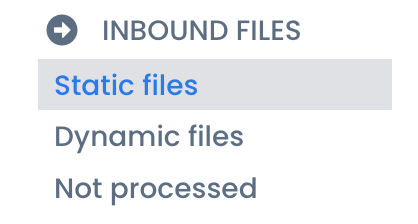
When we have 'Loaded' in the status column and the column issues specify 'Errors', the last one is a link that you can click, which you lead you to a page specifying all the issues found.

Another possibility is when we have column status populated with 'Load Failed'. In this case, the 'Errors' will also be present in the issues column, but the link will be available in 'Load Failed'

Fund or SubFund Identifier Mismatch
This error message is raised when an ISIN already exist in the database but a discrepancy in the structure is found (comparing the current structure in the database and the one present in the file ingested).

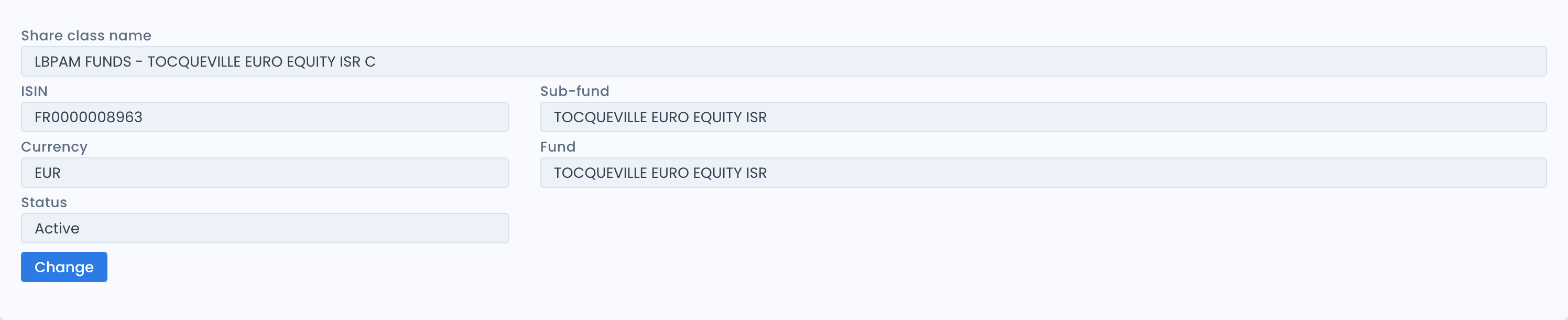
Taking as an example ISIN FR0000008963, we can evaluate what is in the system and what's in the file.
DG Structure:
File Structure:
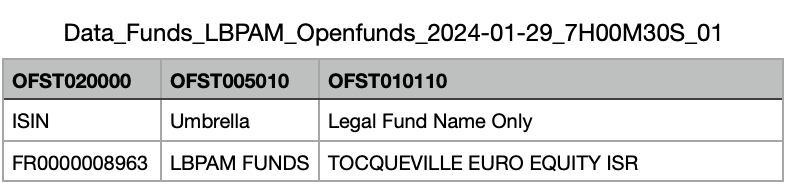
In this case, the file says that the Fund for this ISIN is LBPAM FUNDS but in the system, the Fund is TOCQUEVILLE EURO EQUITY ISR.
To solve the problem, we need to understand if the ISIN is allocated in the wrong structure in the system (in this case we need to fix the structure in the system) or if the fund in the file is incorrect (Cient/AM should amend the file to reflect the correct information).